> ## Documentation Index
> Fetch the complete documentation index at: https://docs.asendia.ai/llms.txt
> Use this file to discover all available pages before exploring further.
# Create Your first AI Interview
> Step-by-step guide to building an AI Interview
The **AI Interview creation flow** allows you to set up smart, automated interviews powered by Sarah, the AI recruiter. Each interview is built on **contextual inputs** such as the job description, company data, and candidate resumes. This ensures that every interview is tailored, adaptive, and aligned with your agency’s needs.
***
## Inputs Sarah Uses to Power the Interview
When you create an AI interview, Sarah receives a rich set of inputs:
* **Job Description**: Defines the responsibilities, skills, and requirements for the role.
* **Candidate Resume**: Provides context on the candidate’s background, experience, and education.
* **Company Data**: Pulled from your Company Profile (brand voice, culture, benefits, values, etc.).
* **Interview Type Selection**: Dynamic, Hybrid, or Pre-Defined mode determines how Sarah structures questions.
* **Evaluation Criteria**: Role-specific dimensions (e.g., technical skills, communication, leadership) for structured scoring.
* **Custom Questions**: Recruiter-mandated or client-specific questions for compliance and consistency.
📌 These inputs work together to make Sarah’s interviews **context-aware, adaptive, and personalized**.
***
## Step-by-Step: Creating an AI Interview
### 1. Access the Jobs Dashboard
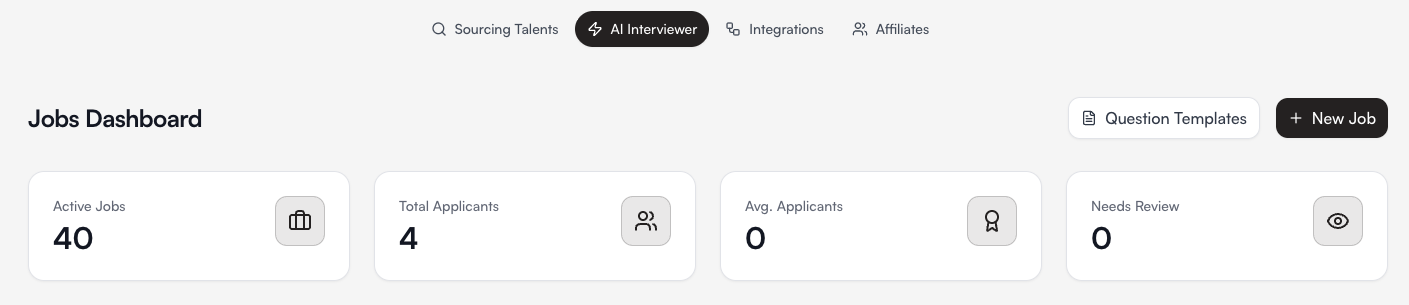
* Navigate to the **AI Interviewer** tab.
* From the dashboard, click **+ New Job**.
Here you can view active jobs, applicants, and interviews that need review.
 ***
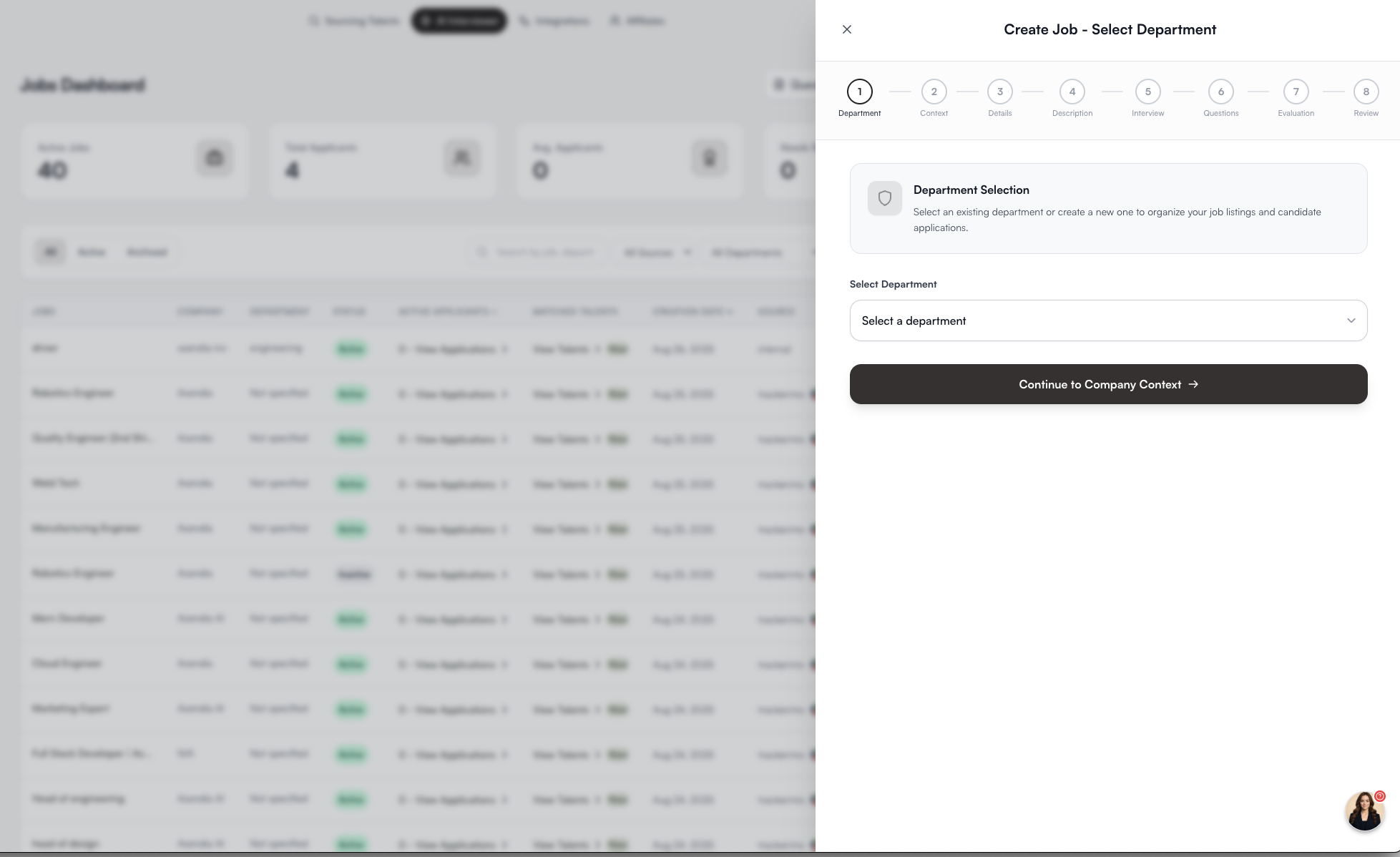
### 2. Select Department
* Choose the department the job belongs to.
* This helps organize interviews and candidates internally.
***
### 2. Select Department
* Choose the department the job belongs to.
* This helps organize interviews and candidates internally.
 ***
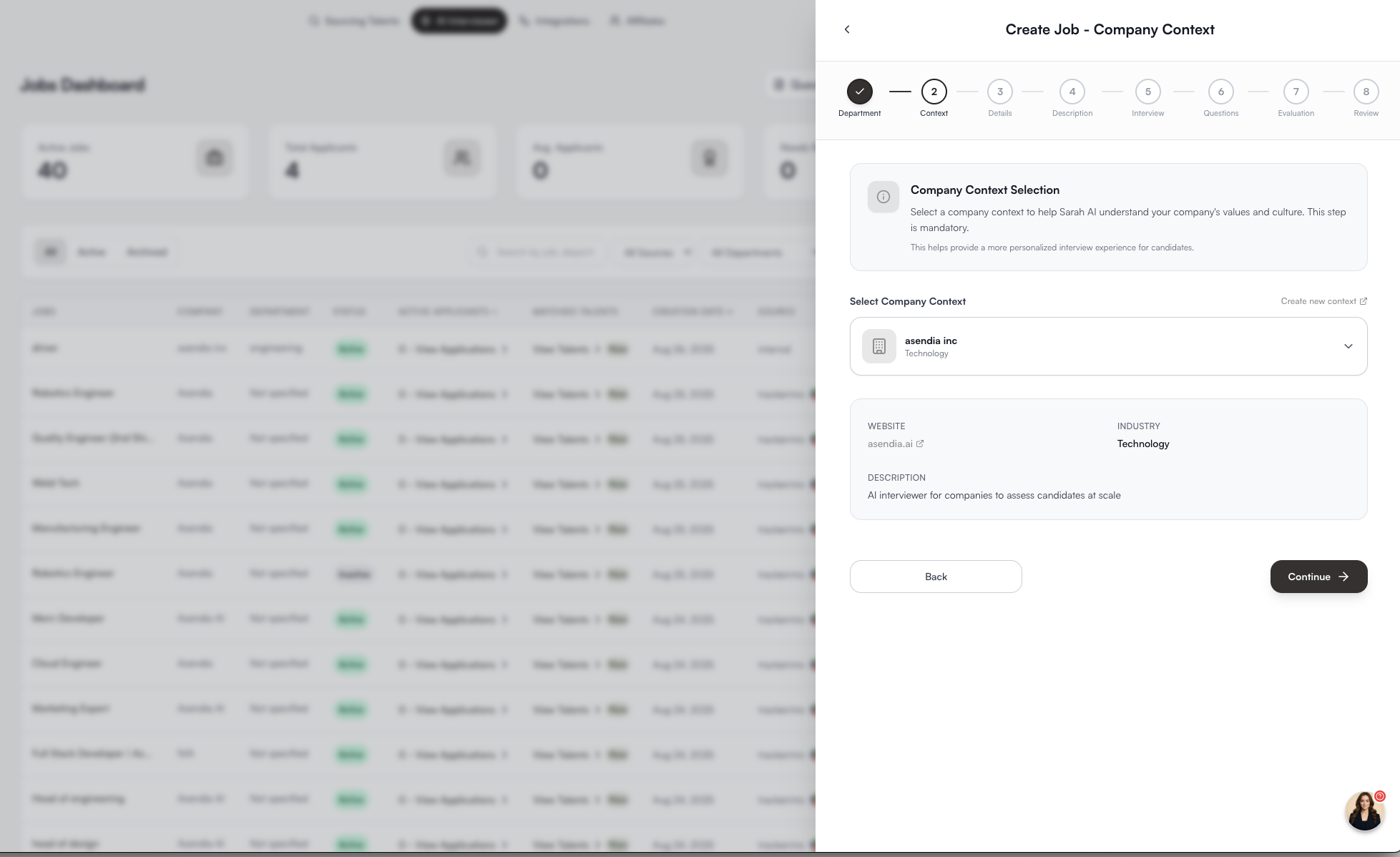
### 3. Attach Company Context
* Select the **Company Profile** you’ve already created.
* This ensures Sarah introduces the company correctly and adapts her tone and pitch to your brand.
***
### 3. Attach Company Context
* Select the **Company Profile** you’ve already created.
* This ensures Sarah introduces the company correctly and adapts her tone and pitch to your brand.
 ***
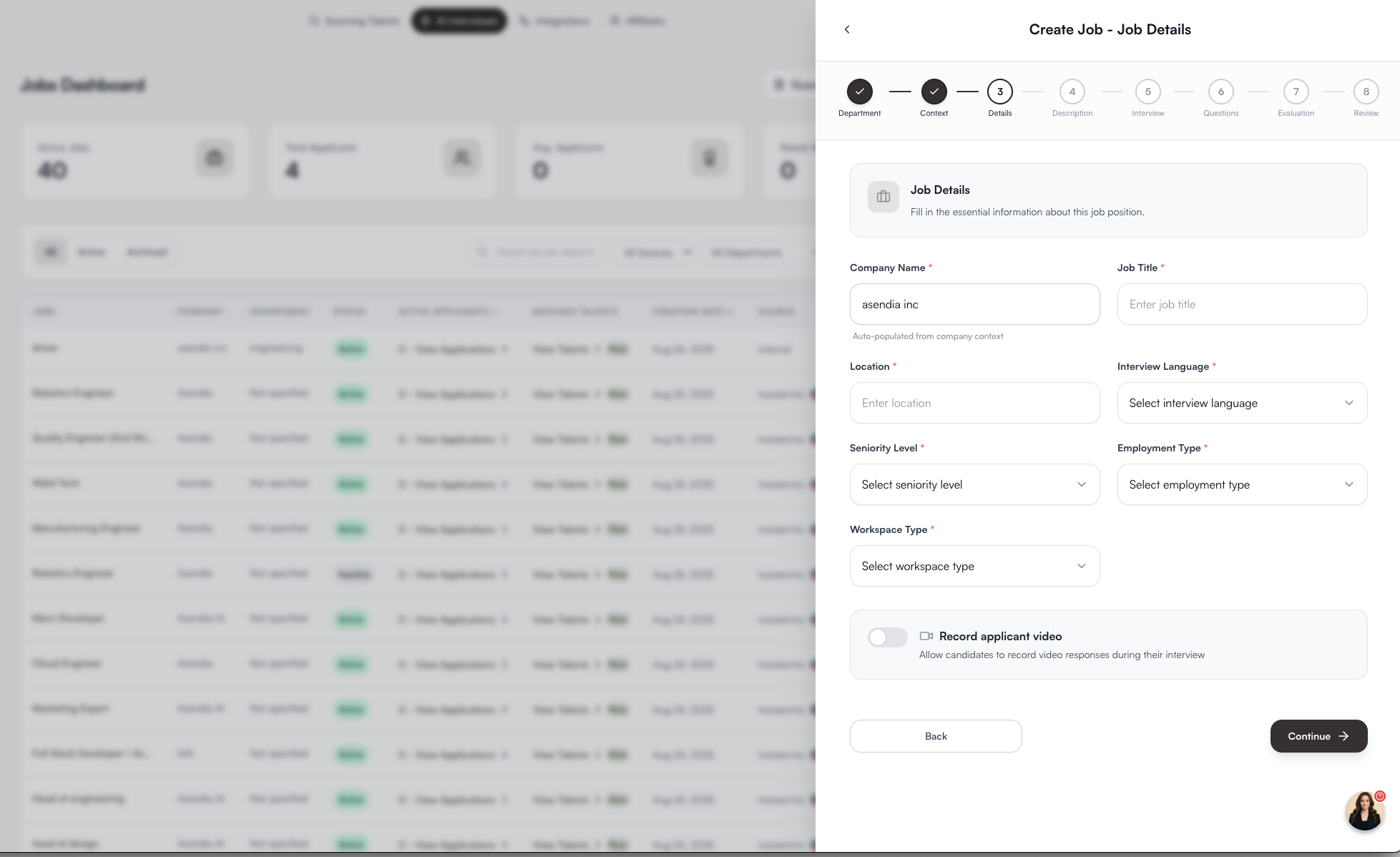
### 4. Enter Job Details
Fill in the essentials:
* **Job Title**
* **Location**
* **Interview Language**
* **Seniority Level**
* **Employment Type**
* **Workspace Type** (remote, hybrid, onsite)
* Option to enable **recorded applicant video responses**.
📌 These details feed Sarah the context she needs to ask relevant role-specific questions.
***
### 4. Enter Job Details
Fill in the essentials:
* **Job Title**
* **Location**
* **Interview Language**
* **Seniority Level**
* **Employment Type**
* **Workspace Type** (remote, hybrid, onsite)
* Option to enable **recorded applicant video responses**.
📌 These details feed Sarah the context she needs to ask relevant role-specific questions.
 ***
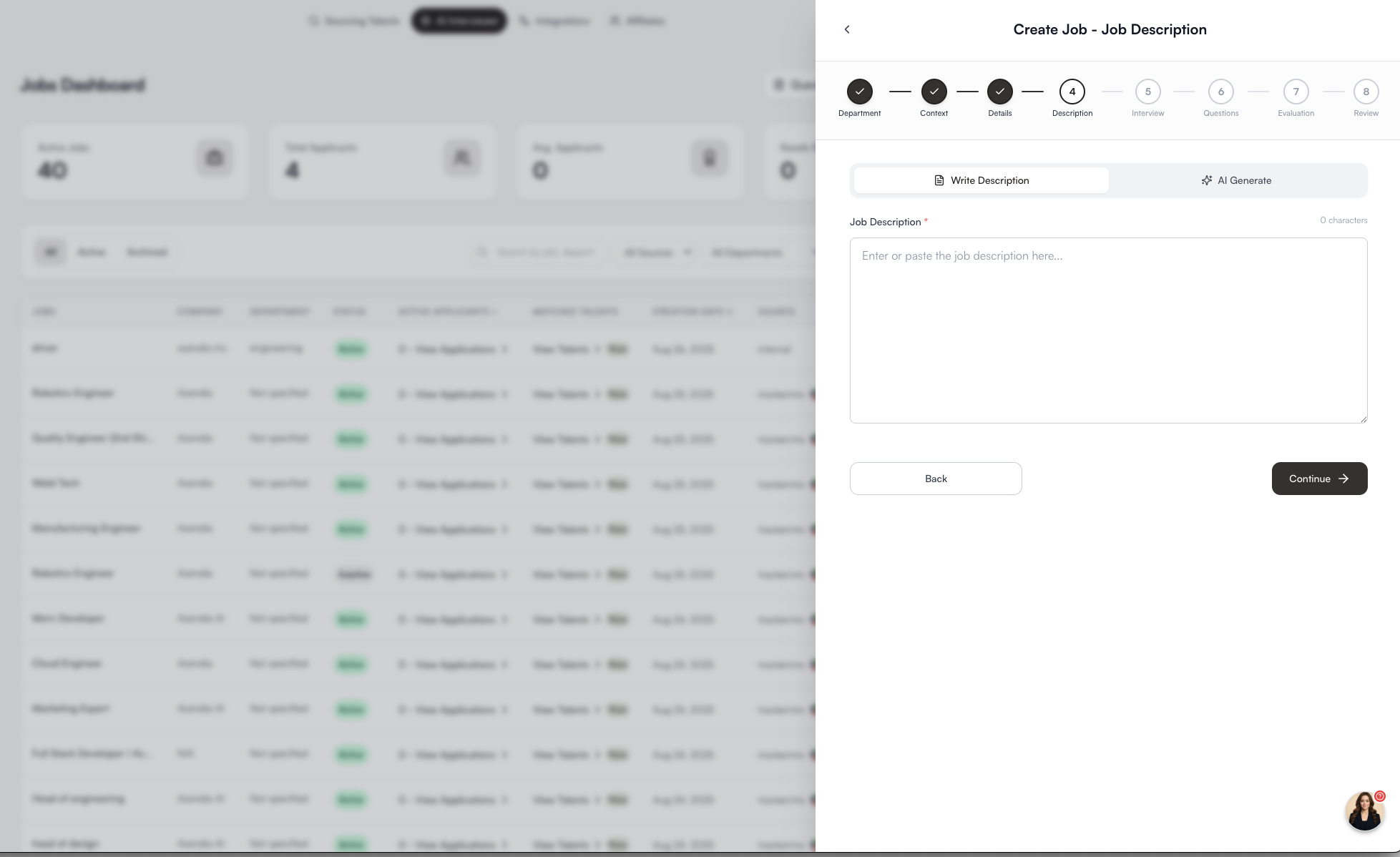
### 5. Add Job Description
* Paste or write the **job description**.
* Alternatively, use the **AI Generate** feature to draft one.
📌 Sarah uses this to create **dynamic interview questions** tailored to the role.
***
### 5. Add Job Description
* Paste or write the **job description**.
* Alternatively, use the **AI Generate** feature to draft one.
📌 Sarah uses this to create **dynamic interview questions** tailored to the role.
 ***
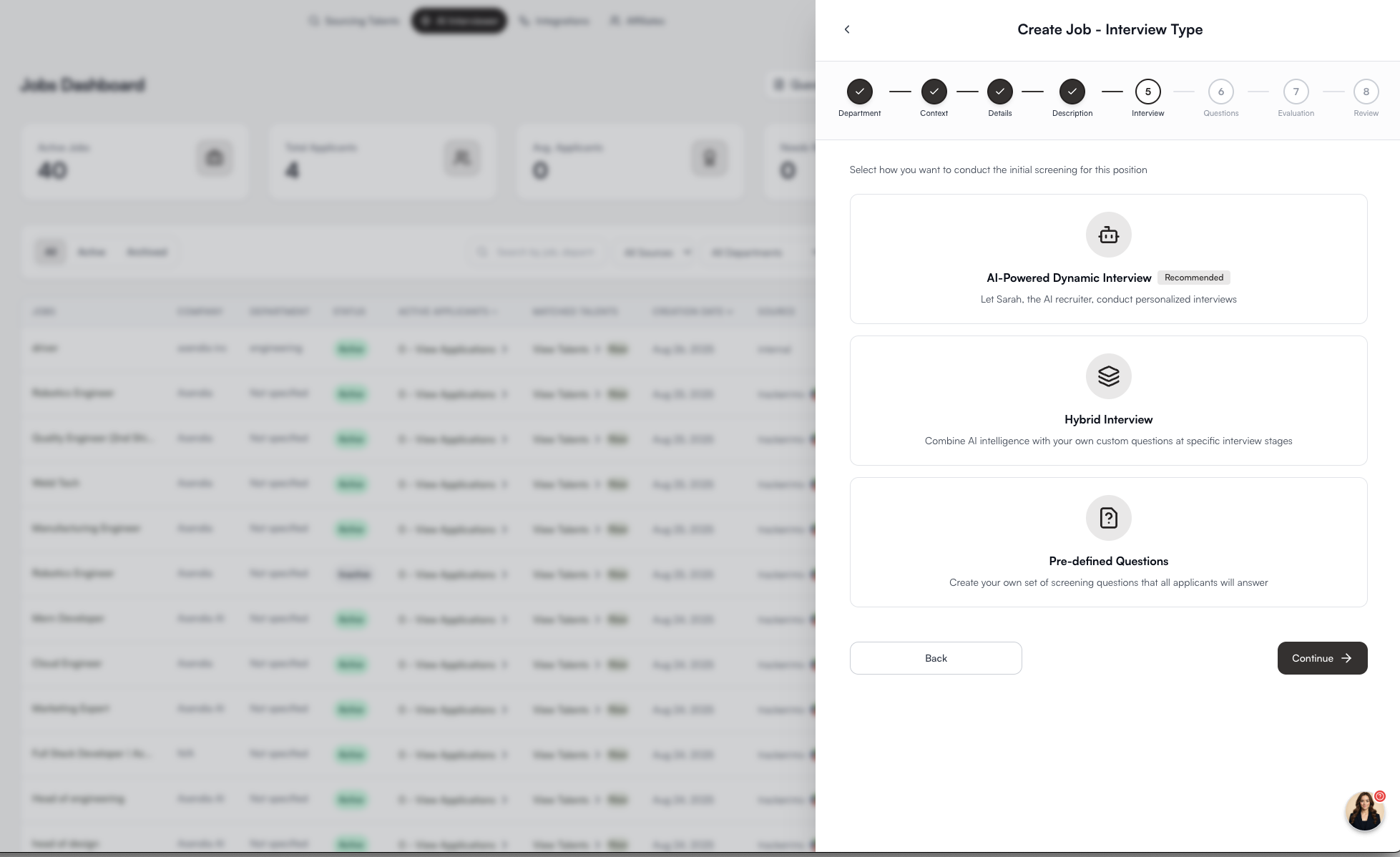
### 6. Select Interview Type
Choose how you want the interview to run:
* **Dynamic (AI-Powered)** → Sarah generates questions adaptively.
* **Hybrid** → Combine recruiter-defined and AI-generated questions.
* **Pre-Defined** → Deliver a fixed recruiter-provided script.
📌 This determines how much freedom Sarah has to adapt during the interview.
***
### 6. Select Interview Type
Choose how you want the interview to run:
* **Dynamic (AI-Powered)** → Sarah generates questions adaptively.
* **Hybrid** → Combine recruiter-defined and AI-generated questions.
* **Pre-Defined** → Deliver a fixed recruiter-provided script.
📌 This determines how much freedom Sarah has to adapt during the interview.
 ***
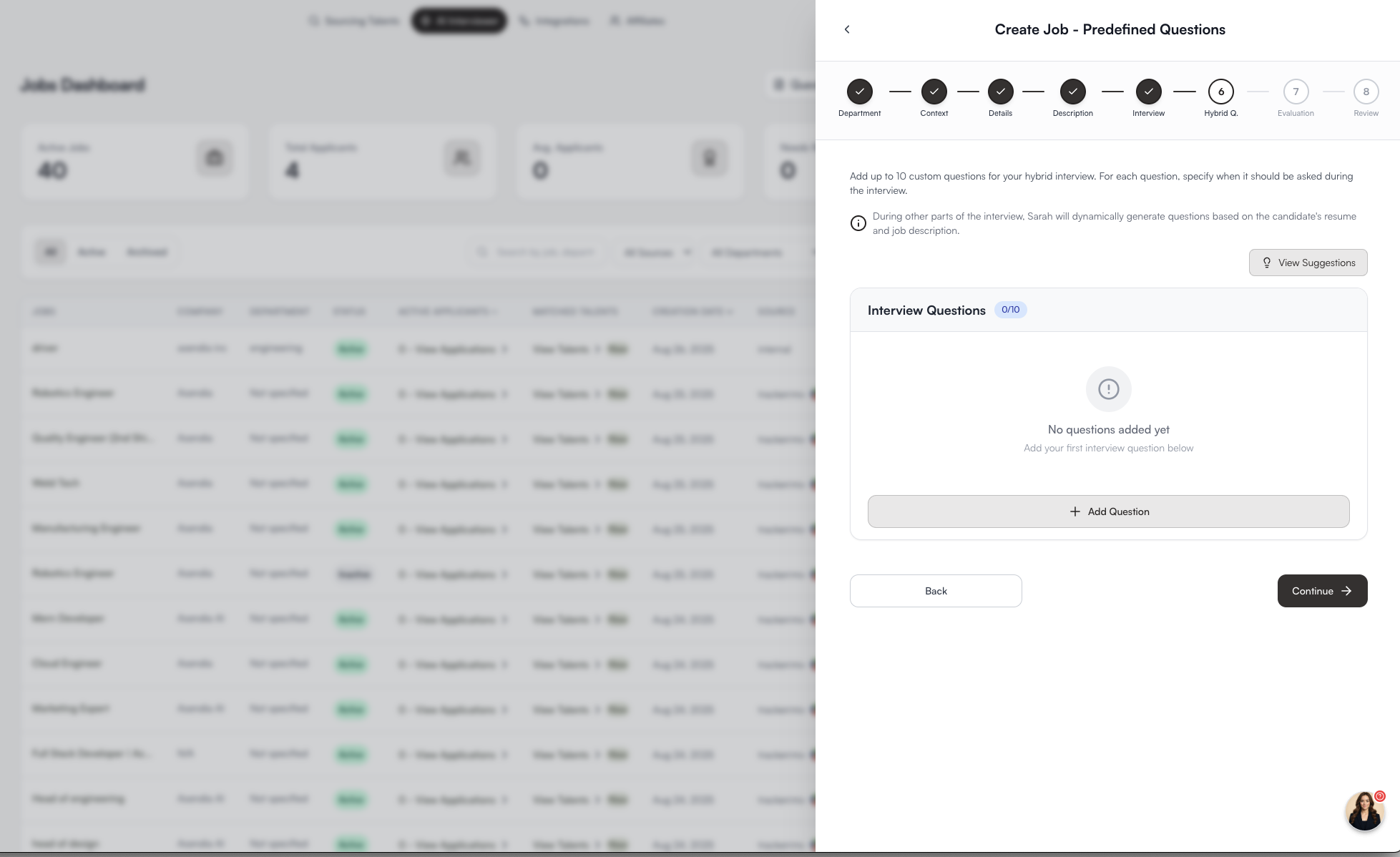
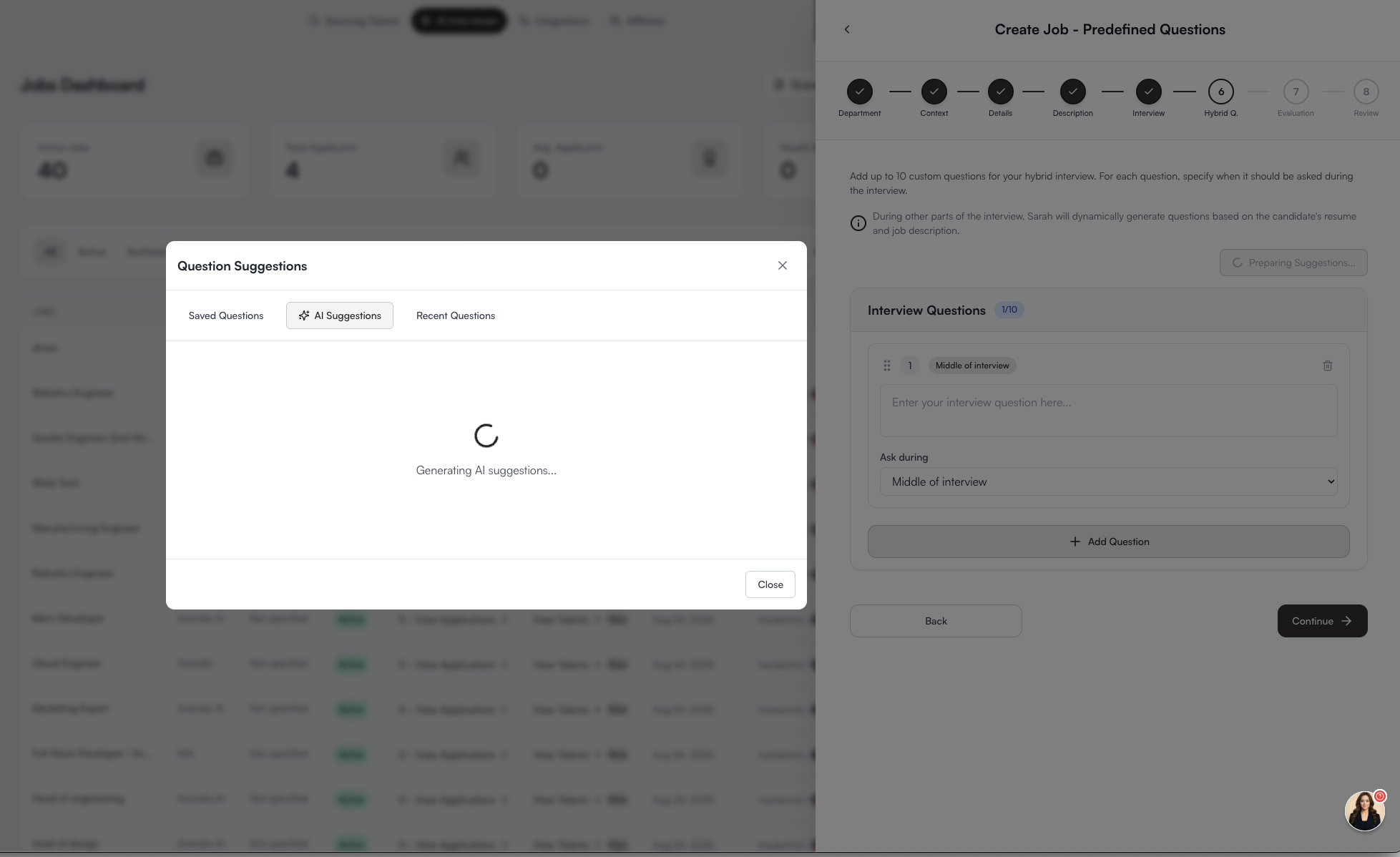
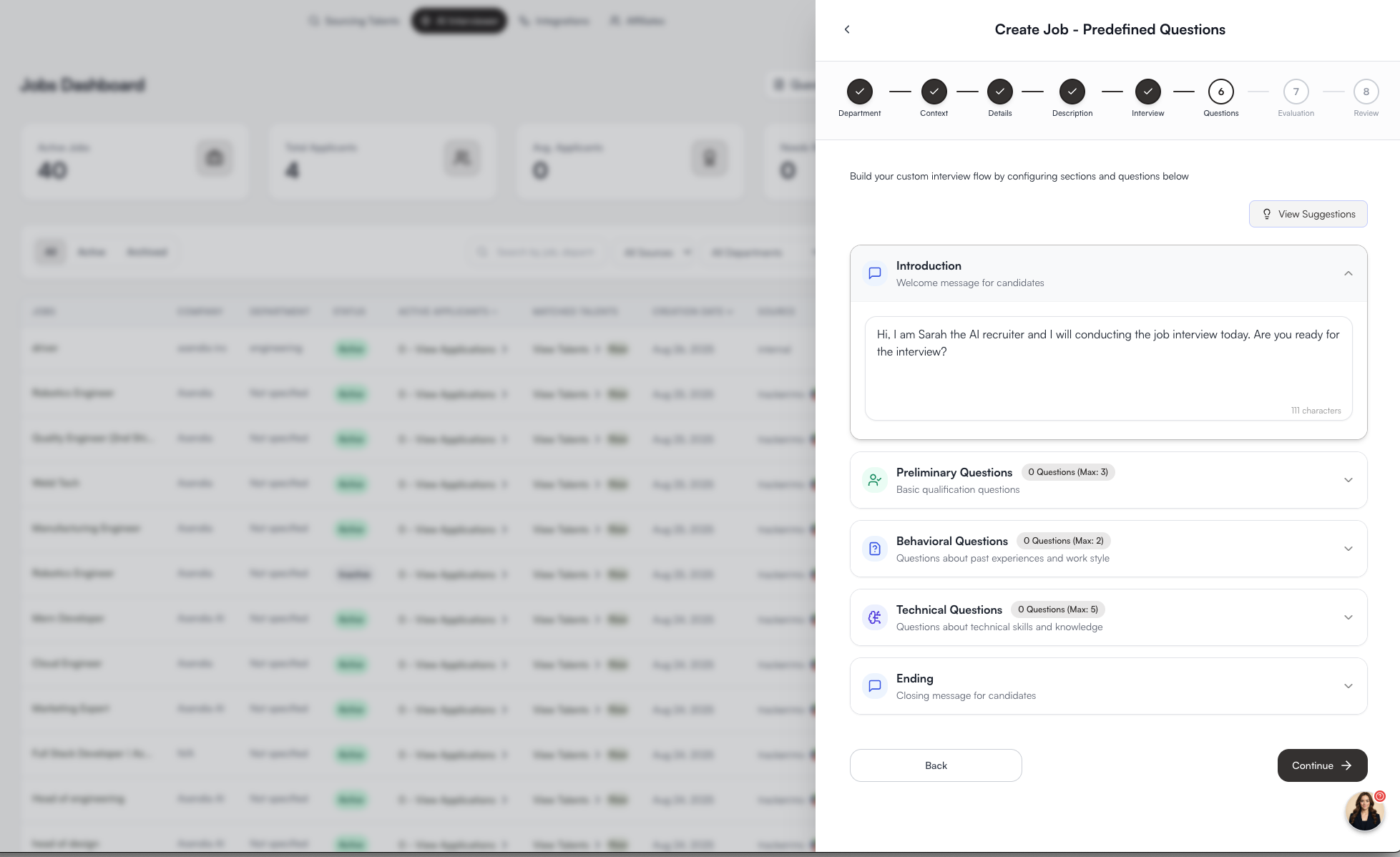
### 7. Add Interview Questions (Optional)
* For Hybrid or Pre-Defined interviews, add up to **10 custom questions**.
* Place questions at specific stages: Beginning, Middle, or End of the interview.
* Use **AI Suggestions** to auto-generate smart questions or reuse **recent/saved questions**.
📌 This ensures compliance with client or industry requirements while still benefiting from Sarah’s adaptability.
***
### 7. Add Interview Questions (Optional)
* For Hybrid or Pre-Defined interviews, add up to **10 custom questions**.
* Place questions at specific stages: Beginning, Middle, or End of the interview.
* Use **AI Suggestions** to auto-generate smart questions or reuse **recent/saved questions**.
📌 This ensures compliance with client or industry requirements while still benefiting from Sarah’s adaptability.
 ***
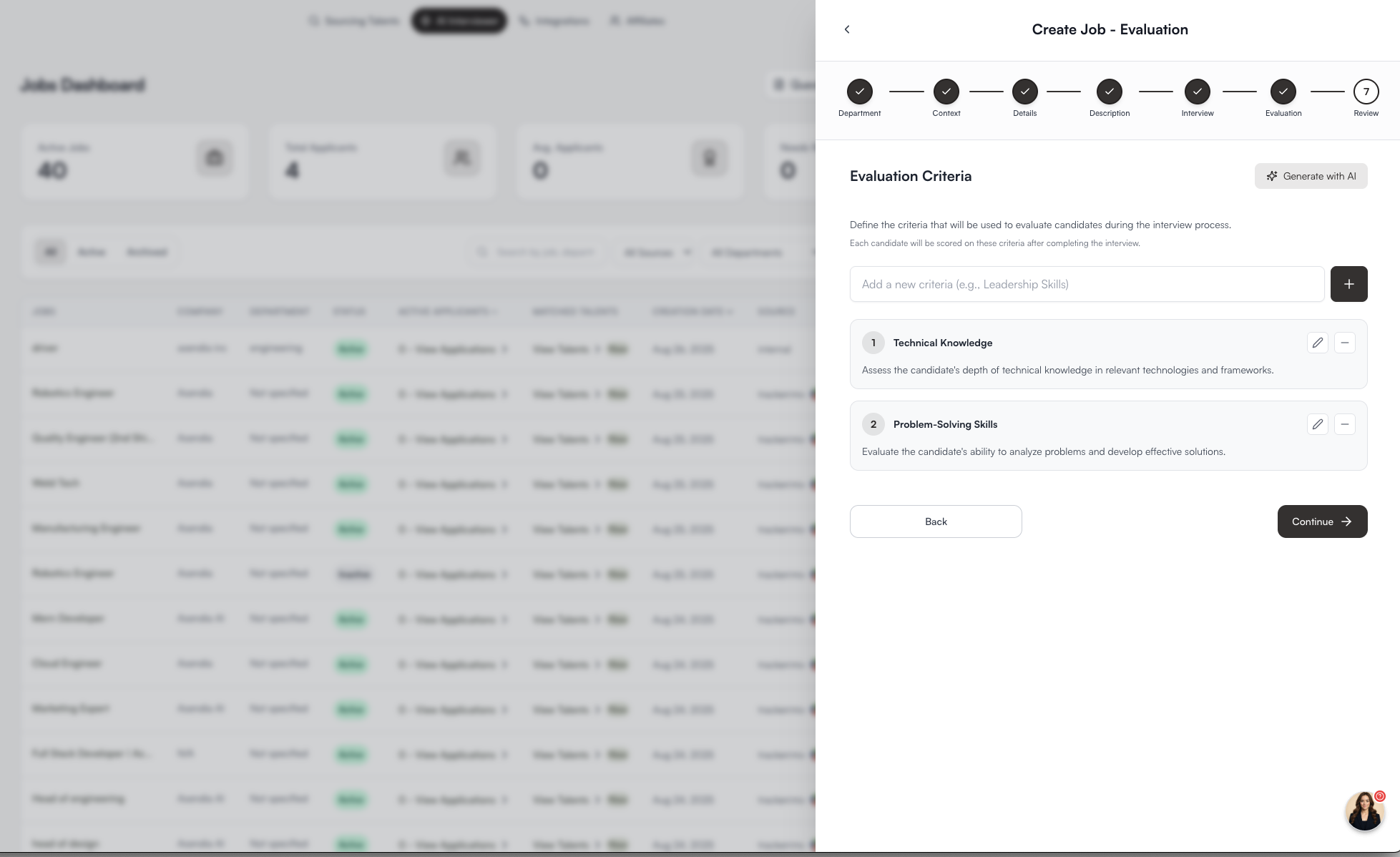
### 8. Define Evaluation Criteria
* Add structured criteria (e.g., Technical Knowledge, Problem-Solving, Communication).
* Each candidate will be scored automatically on these criteria.
* Option to **Generate with AI** for tailored scoring dimensions.
📌 This step ensures **objective, consistent evaluation** across all candidates.
***
### 8. Define Evaluation Criteria
* Add structured criteria (e.g., Technical Knowledge, Problem-Solving, Communication).
* Each candidate will be scored automatically on these criteria.
* Option to **Generate with AI** for tailored scoring dimensions.
📌 This step ensures **objective, consistent evaluation** across all candidates.
 ***
### 9. Review & Launch
* Confirm all details: department, company context, job description, interview type, questions, and evaluation criteria.
* Click **Launch Interview**.
* Candidates will receive a branded invite link to complete their AI interview.
***
## What Happens Next
* Sarah conducts the interview based on the inputs you’ve provided.
* Each candidate’s responses are:
* **Scored** against evaluation criteria.
* **Summarized** into recruiter-ready insights.
* **Recorded** (audio/video + transcript).
* **Verified** for fraud prevention.
* Results are synced automatically to your ATS.
***
## Benefits of AI-Driven Interviews
* **Adaptive Intelligence**: Sarah adjusts questions based on candidate resumes and answers.
* **Consistency**: Every candidate experiences the same professional, branded flow.
* **Efficiency**: Recruiters only review scored, summarized results.
* **Scalability**: Run 100s of interviews in parallel with no recruiter overhead.
***
***
### 9. Review & Launch
* Confirm all details: department, company context, job description, interview type, questions, and evaluation criteria.
* Click **Launch Interview**.
* Candidates will receive a branded invite link to complete their AI interview.
***
## What Happens Next
* Sarah conducts the interview based on the inputs you’ve provided.
* Each candidate’s responses are:
* **Scored** against evaluation criteria.
* **Summarized** into recruiter-ready insights.
* **Recorded** (audio/video + transcript).
* **Verified** for fraud prevention.
* Results are synced automatically to your ATS.
***
## Benefits of AI-Driven Interviews
* **Adaptive Intelligence**: Sarah adjusts questions based on candidate resumes and answers.
* **Consistency**: Every candidate experiences the same professional, branded flow.
* **Efficiency**: Recruiters only review scored, summarized results.
* **Scalability**: Run 100s of interviews in parallel with no recruiter overhead.
***