> ## Documentation Index
> Fetch the complete documentation index at: https://docs.asendia.ai/llms.txt
> Use this file to discover all available pages before exploring further.
# AI Filters Generation
> Review, refine, and control every parameter of your AI-powered talent search.
## Overview
The **Filters Page** in Asendia AI allows recruiters to refine and control the parameters of their candidate search.\
After entering a natural-language prompt, the AI automatically generates filters based on the recruiter’s intent — these filters can then be reviewed, edited, or expanded before running the search.
***
## **Filter Categories**
### **1. Job Role**
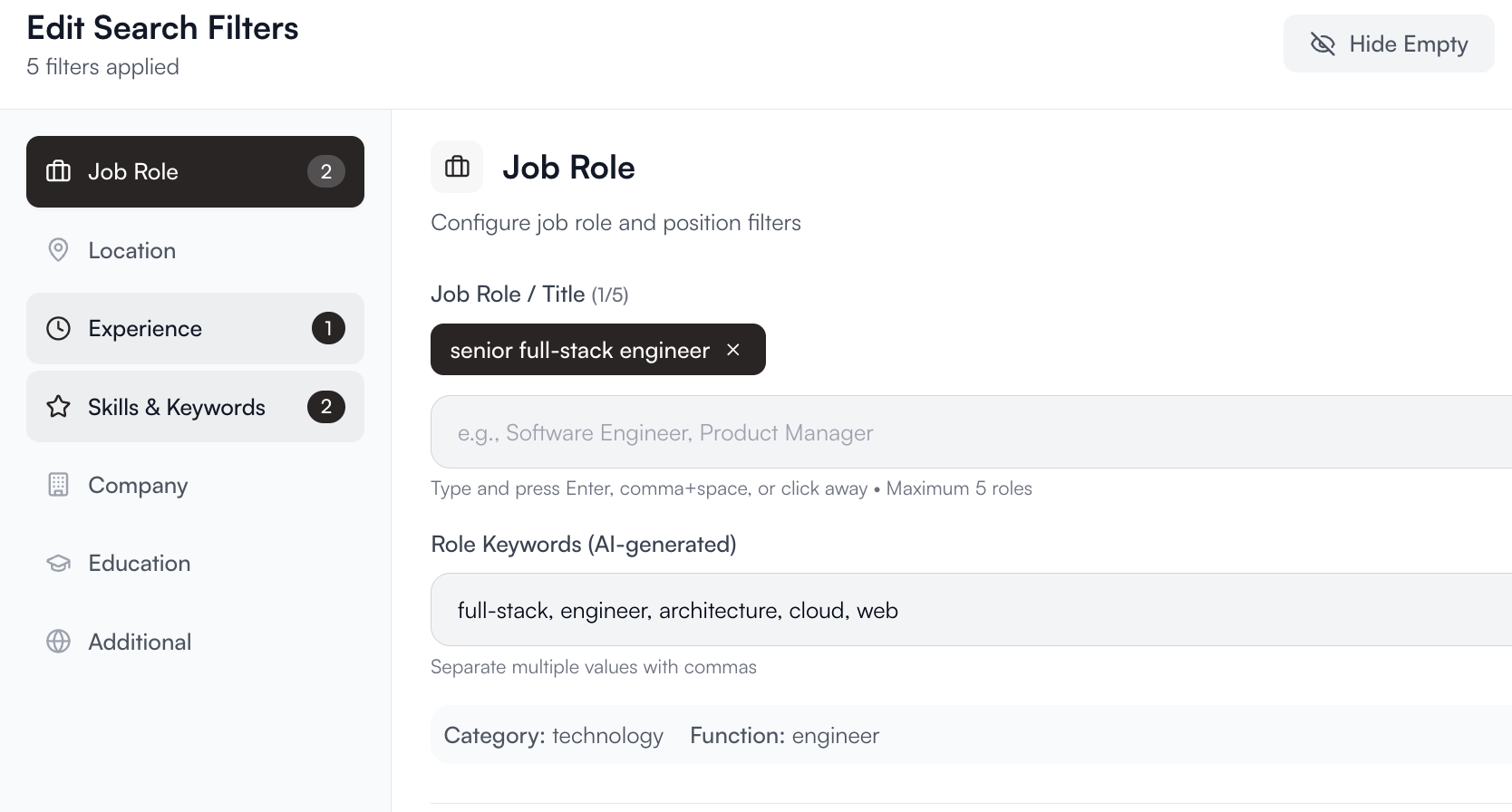
Define the target position and related responsibilities.\
The AI automatically detects and populates job titles, role keywords, and categories.\
**Example:**
* Job Role: `Senior Full-Stack Engineer`
* AI-Generated Keywords: `full-stack, engineer, architecture, cloud, web`
* Category: `Technology`
* Function: `Engineer`
Recruiters can enter up to five roles per search, separated by commas, to expand sourcing coverage.
 ***
### **2. Location**
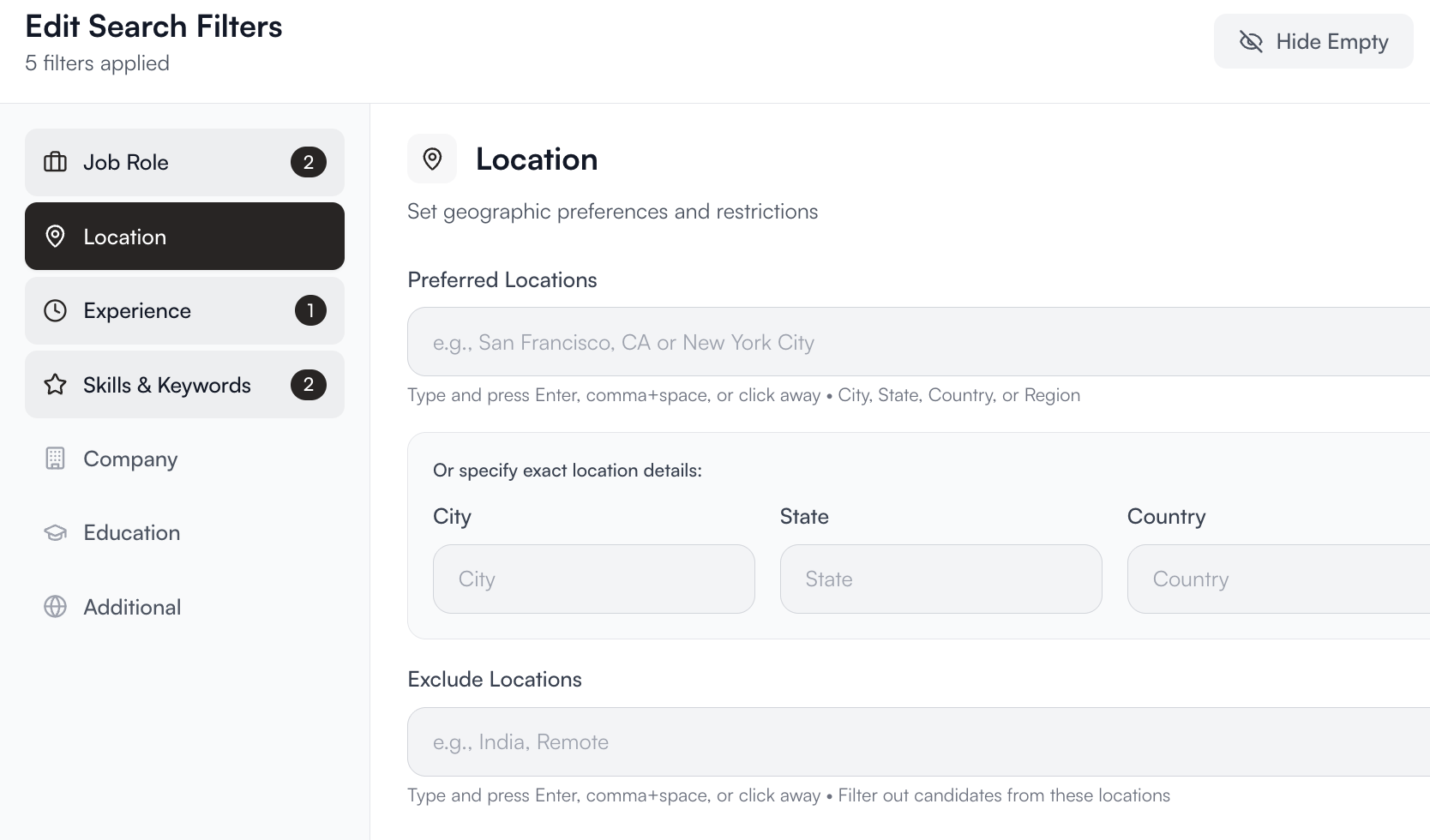
Set geographic preferences and restrictions for candidates.\
You can specify city, state, country, or choose remote-ready options.\
**Example:**\
`San Francisco, CA` · `New York City` · `Remote (US-based)`
The AI automatically includes nearby metropolitan areas if relevant to the search.
***
### **2. Location**
Set geographic preferences and restrictions for candidates.\
You can specify city, state, country, or choose remote-ready options.\
**Example:**\
`San Francisco, CA` · `New York City` · `Remote (US-based)`
The AI automatically includes nearby metropolitan areas if relevant to the search.
 ***
### **3. Experience**
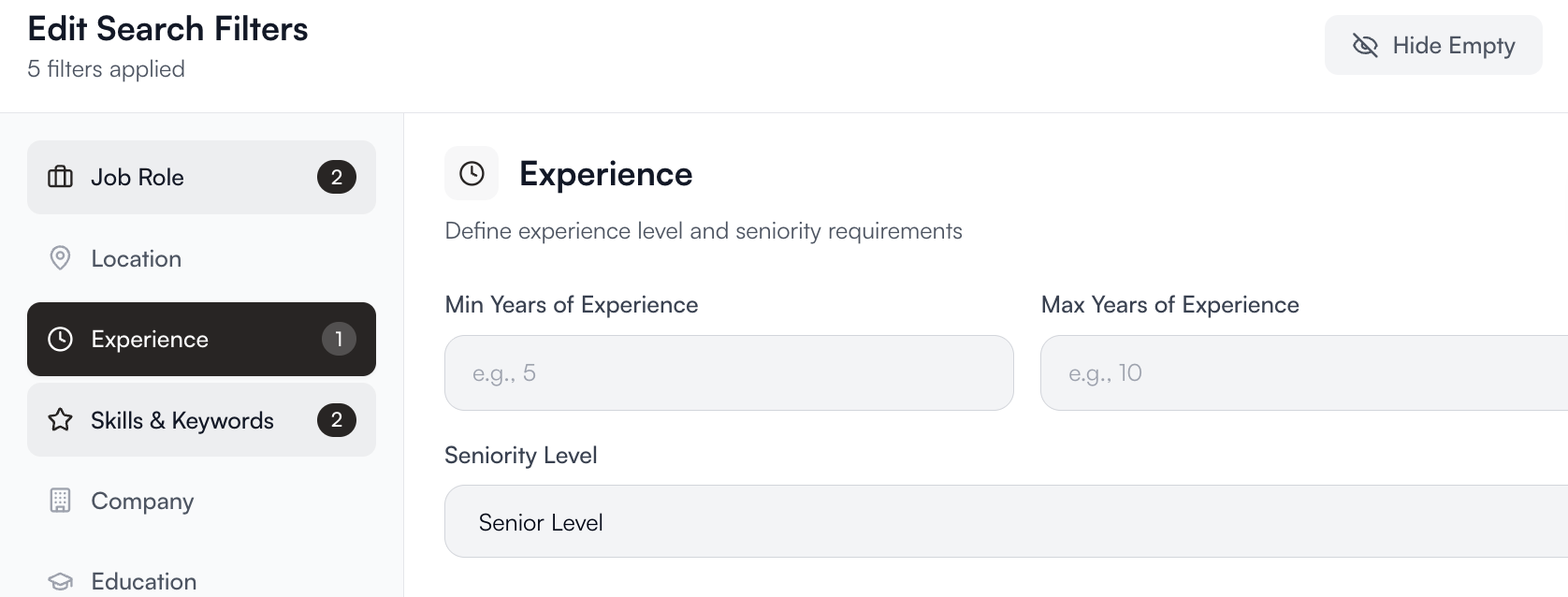
Define years of experience, seniority, and position level.\
Common tiers include:
* Entry-Level
* Mid-Level
* Senior
* Lead / Principal
The AI also interprets phrases like *“experienced in DevOps”* or *“junior backend engineer”* directly from the recruiter’s input.
***
### **3. Experience**
Define years of experience, seniority, and position level.\
Common tiers include:
* Entry-Level
* Mid-Level
* Senior
* Lead / Principal
The AI also interprets phrases like *“experienced in DevOps”* or *“junior backend engineer”* directly from the recruiter’s input.
 ***
### **4. Skills & Keywords**
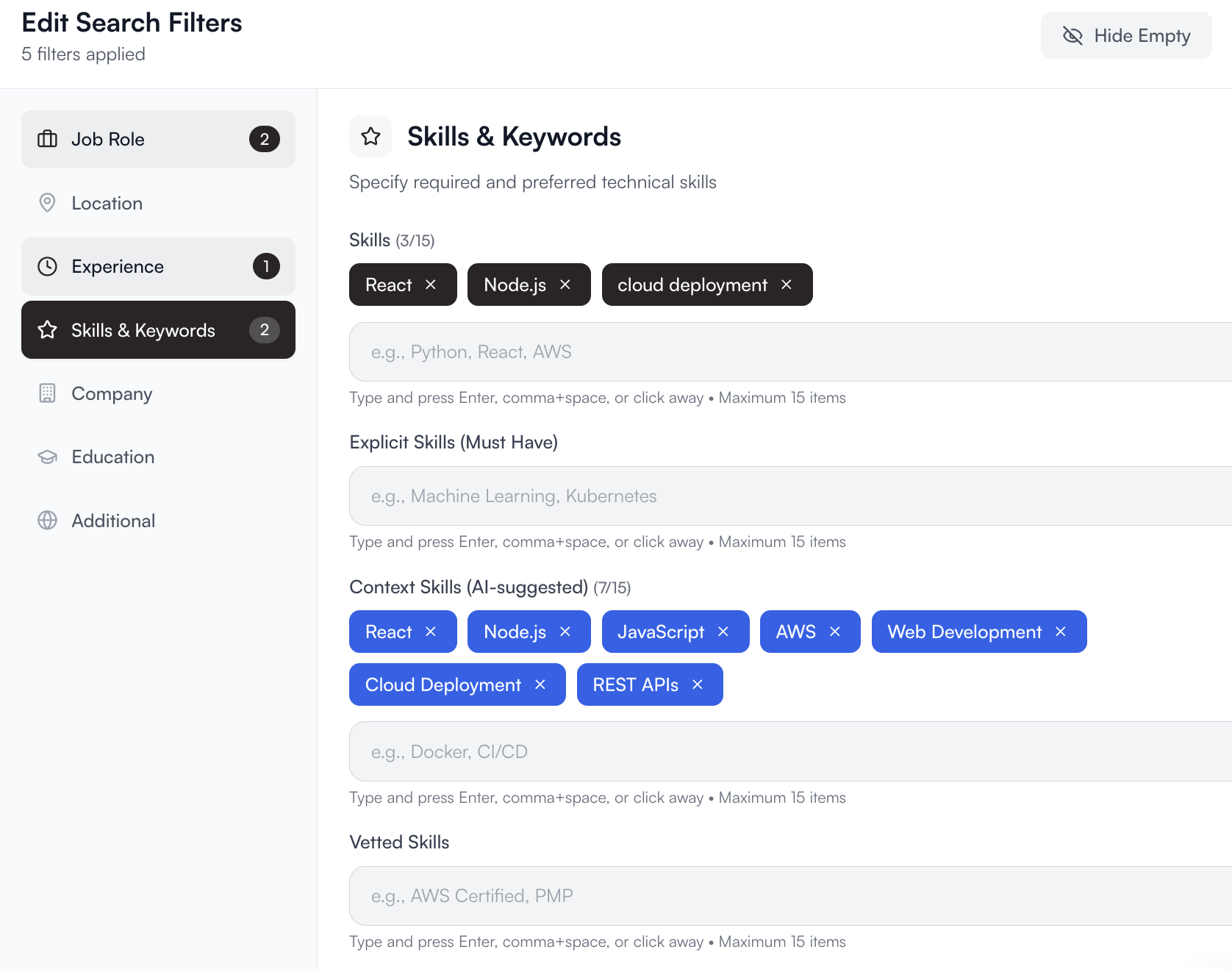
Highlight the technical or domain skills required for the role.\
The AI extracts these automatically and groups related concepts.\
**Example:**\
If the recruiter writes *“React and Node.js engineer with cloud deployment experience”*,\
the filters might include:
* React
* Node.js
* AWS / GCP
* JavaScript / TypeScript
* Cloud Infrastructure
Recruiters can add or remove skills manually at any time.
***
### **4. Skills & Keywords**
Highlight the technical or domain skills required for the role.\
The AI extracts these automatically and groups related concepts.\
**Example:**\
If the recruiter writes *“React and Node.js engineer with cloud deployment experience”*,\
the filters might include:
* React
* Node.js
* AWS / GCP
* JavaScript / TypeScript
* Cloud Infrastructure
Recruiters can add or remove skills manually at any time.
 ***
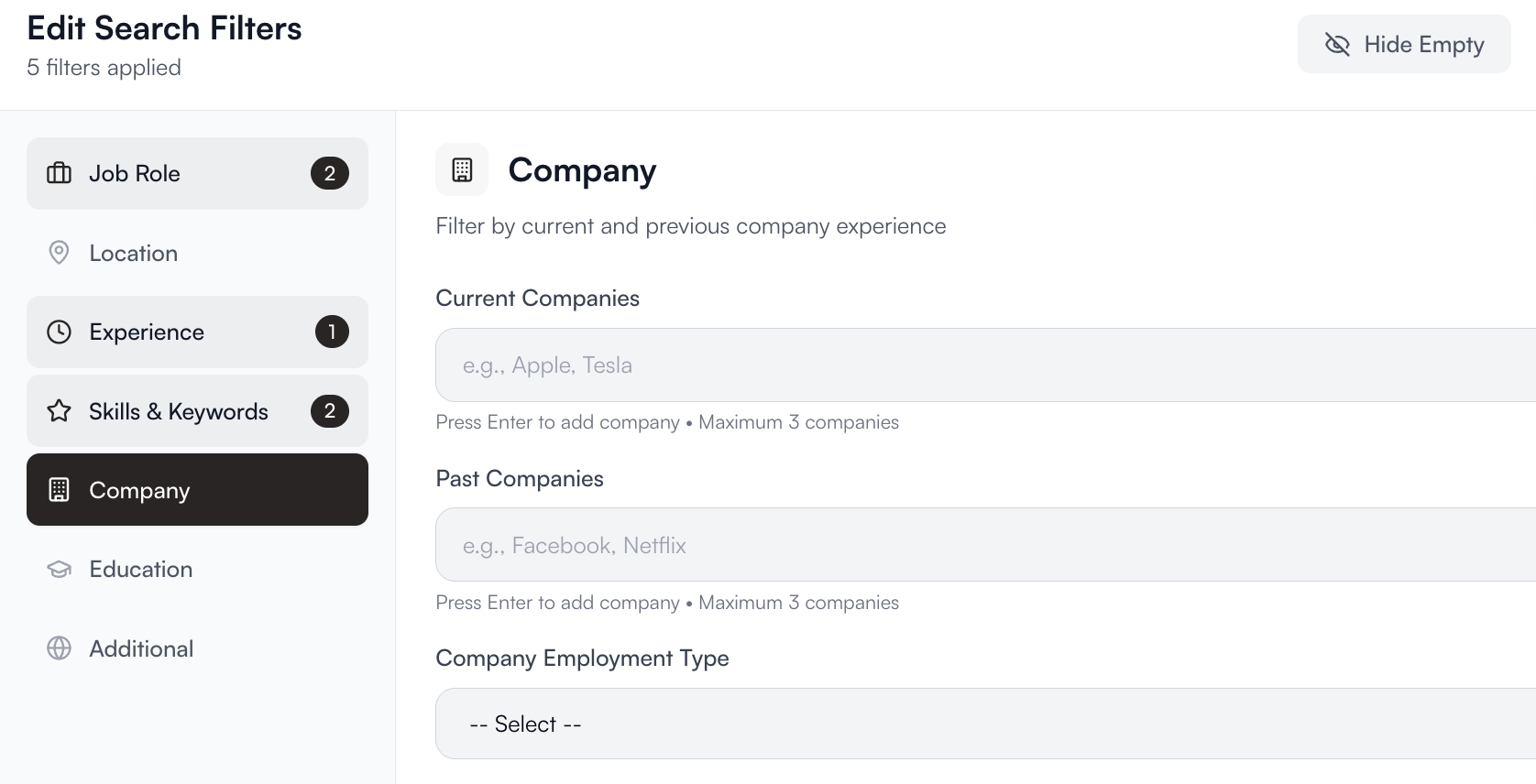
### **5. Company**
Target candidates from specific companies or industries.\
Useful for competitive sourcing, benchmarking, or identifying professionals from certain market sectors.\
**Example:**\
`Amazon, Meta, Stripe, early-stage startups`
***
### **5. Company**
Target candidates from specific companies or industries.\
Useful for competitive sourcing, benchmarking, or identifying professionals from certain market sectors.\
**Example:**\
`Amazon, Meta, Stripe, early-stage startups`
 ***
### **6. Education**
Add filters for academic background, degree level, or field of study.\
**Example:**
* Degree: `B.Sc. or higher`
* Field: `Computer Science, Software Engineering, Data Science`
* Institution: optional filter (e.g., “top-tier universities”)
***
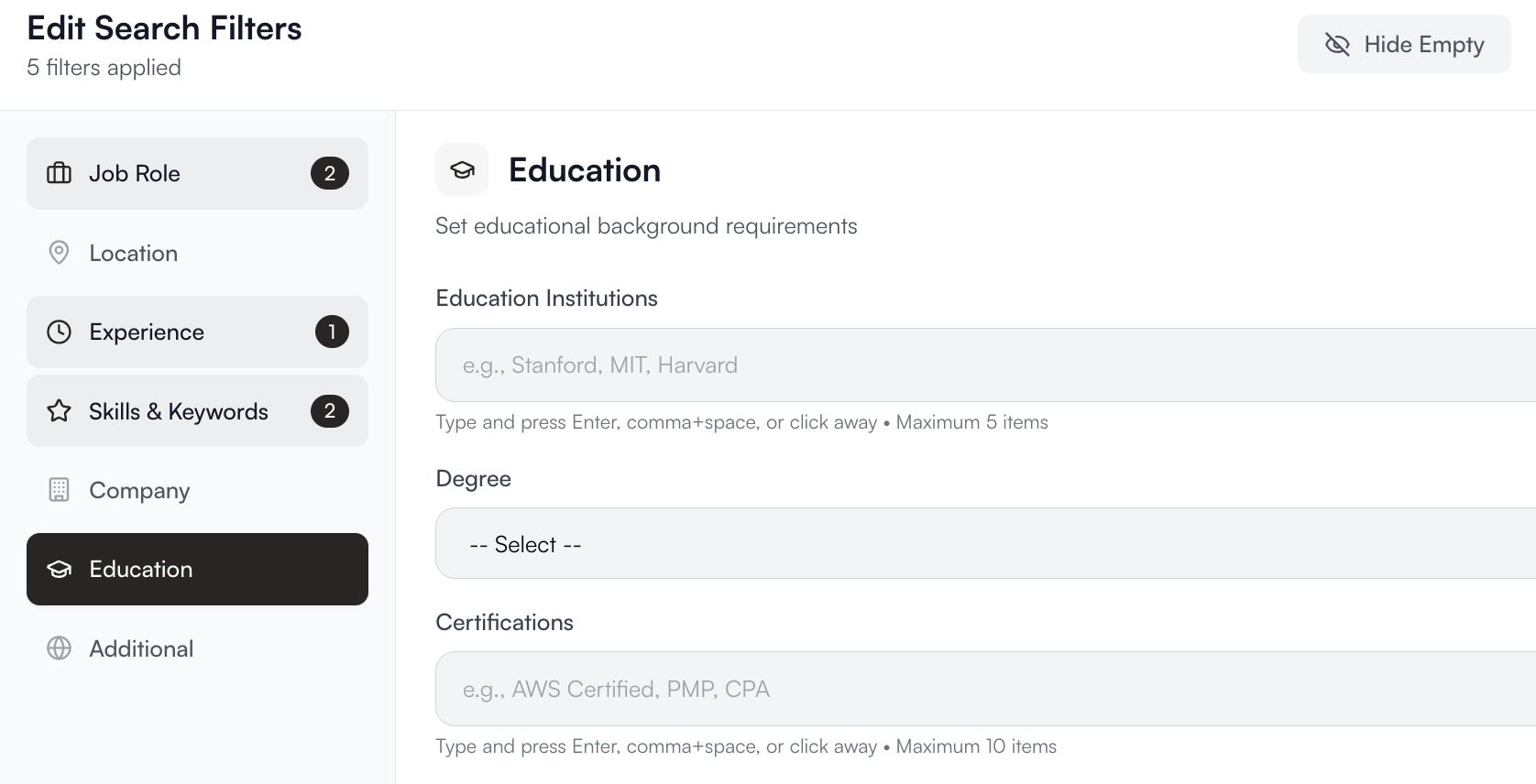
### **6. Education**
Add filters for academic background, degree level, or field of study.\
**Example:**
* Degree: `B.Sc. or higher`
* Field: `Computer Science, Software Engineering, Data Science`
* Institution: optional filter (e.g., “top-tier universities”)
 ***
### **7. Additional Filters**
Fine-tune your results using optional advanced filters such as:
* **Availability:** Actively open to work / Passive candidates
* **Last Activity:** Recently updated profiles
* **Languages:** Spoken or programming languages
* **Visa / Work Authorization:** When available from public data
***
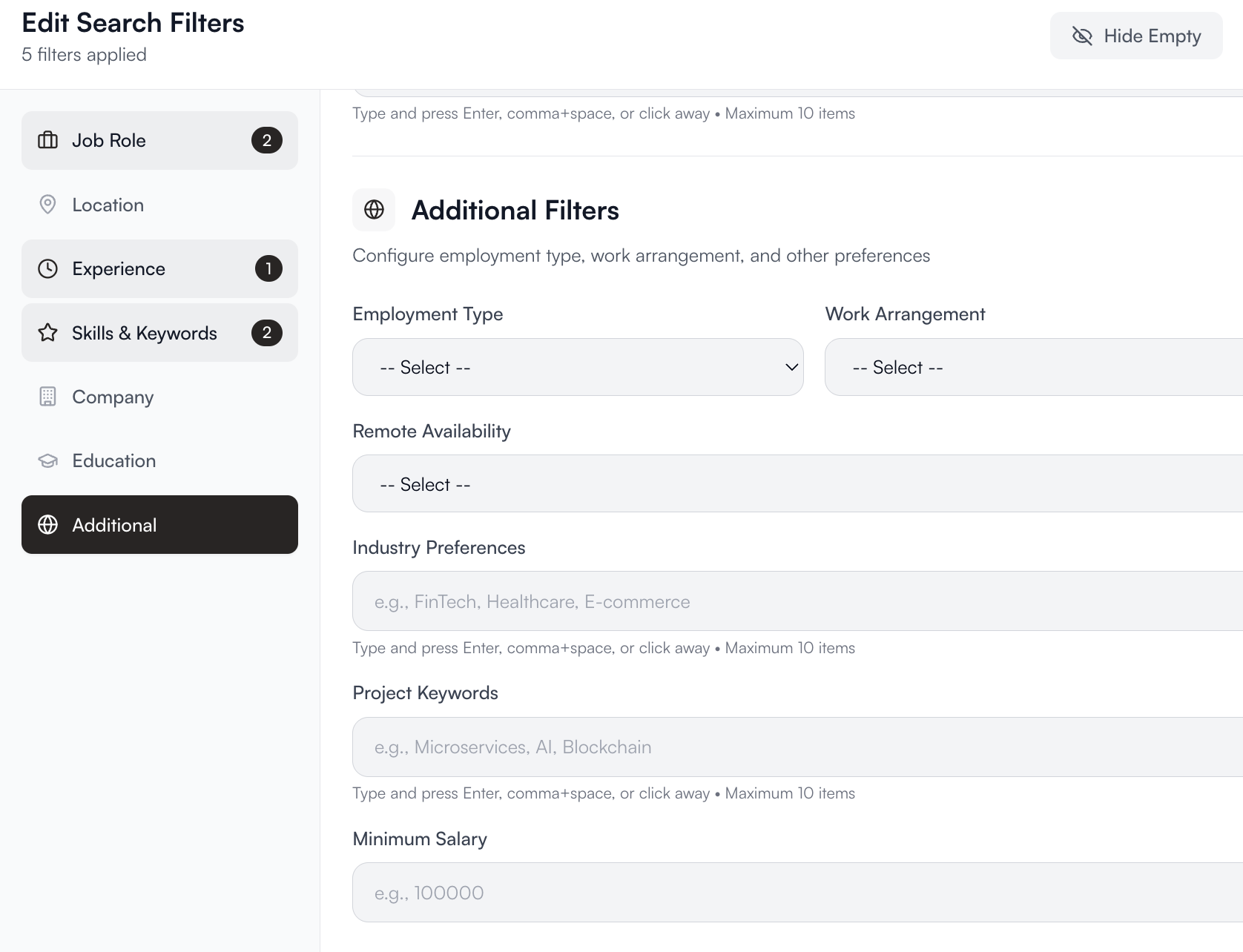
### **7. Additional Filters**
Fine-tune your results using optional advanced filters such as:
* **Availability:** Actively open to work / Passive candidates
* **Last Activity:** Recently updated profiles
* **Languages:** Spoken or programming languages
* **Visa / Work Authorization:** When available from public data
 ***
## **AI-Generated vs. Manual Filters**
Each filter begins as **AI-generated** from your natural language search.\
Recruiters can then manually edit or remove filters to customize the search further.\
Changes are instantly reflected in the matching and ranking process.
***
## **AI-Generated vs. Manual Filters**
Each filter begins as **AI-generated** from your natural language search.\
Recruiters can then manually edit or remove filters to customize the search further.\
Changes are instantly reflected in the matching and ranking process.